 AI Photographer
The classic kids’ collage, ready in two minutes.
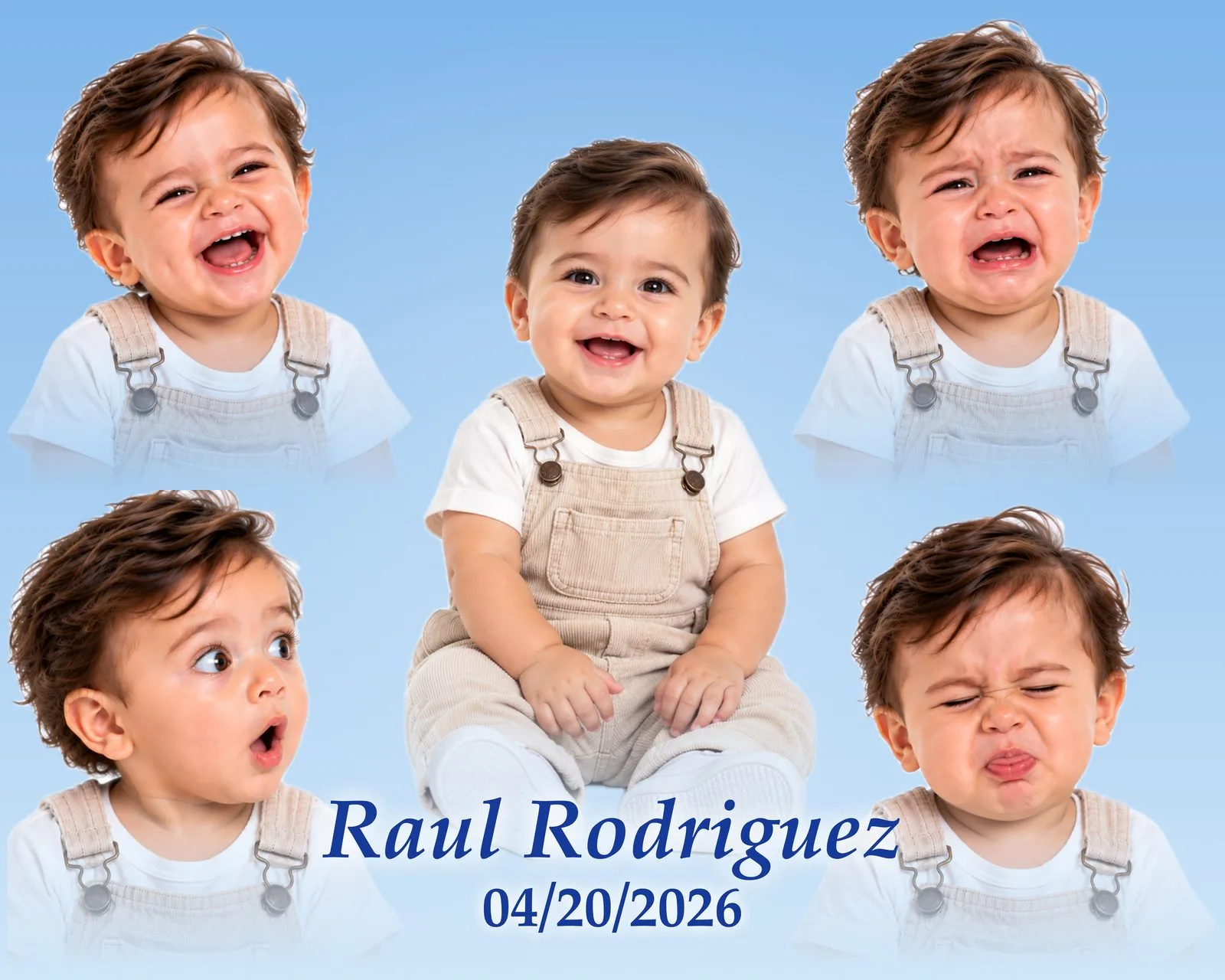
One full-body photo, four little faces and the child’s name on a soft sky — the portrait parents frame and grandparents order twice. AI Photographer lays it out, lifts the child from the backdrop and fades every edge for you, right on the iPad.

Why studios love making caritas here
No AI, no uploads
Everything happens on the iPad with Apple’s built-in image tools. No AI key, no account, no internet needed.
Faces framed for you
Each face is found and framed head-and-shoulders automatically; drag or pinch only if you want to.
Backdrop lifted, edges faded
The child is separated from the studio backdrop and every photo melts into the sky — no rectangles.
4 colour themes · 4 skies
Boy, girl, neutral or your own colours; clouds, hearts, stars, plain — or your own background image.
9 lettering styles
The child’s name with a live preview, any size and colour, and the date or age underneath.
8×10 · 11×14 · 16×20
Horizontal or vertical, at full print resolution; the 8×10 prints on the spot.
Remembers your style
Size, colours, background, lettering and fades stay set for the next child.
Print or send
AirPrint, QR, WhatsApp, email, AirDrop — or save the file for your lab.
Included free
Caritas is part of the free plan — no Pro subscription needed.
What a caritas is
A studio favorite in Mexico and Latin America: the child’s personality in five moments on a single print. It sells on sight at birthdays, daycares and milestone sessions — and it has always taken an hour of layering in Photoshop. Not anymore.
One full body, four faces
The full-body photo in the middle, four expressions around it — framed automatically head-and-shoulders.
Soft, faded edges
No rectangles and no hard cut-outs: every photo melts into a sky of clouds, hearts or stars.
Wall-ready sizes
8×10 to print on the spot, 11×14 and 16×20 at full resolution for your lab — horizontal or vertical.
Five photos in, one portrait out
These are the exact photos that went into each collage. Nothing was retouched outside the app.
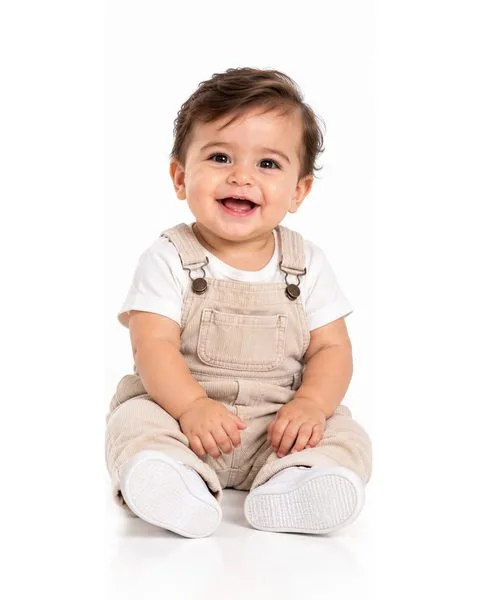
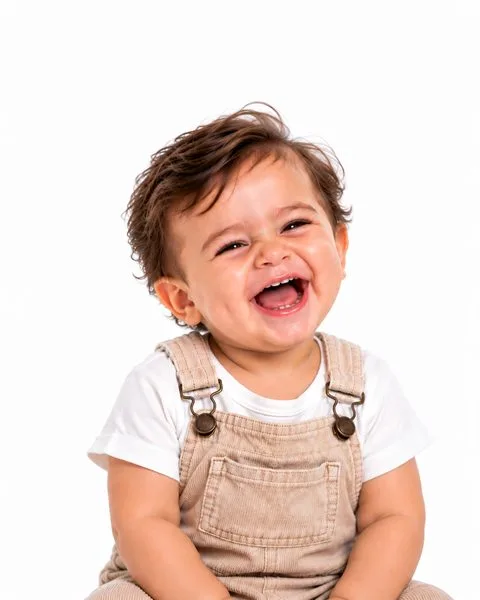



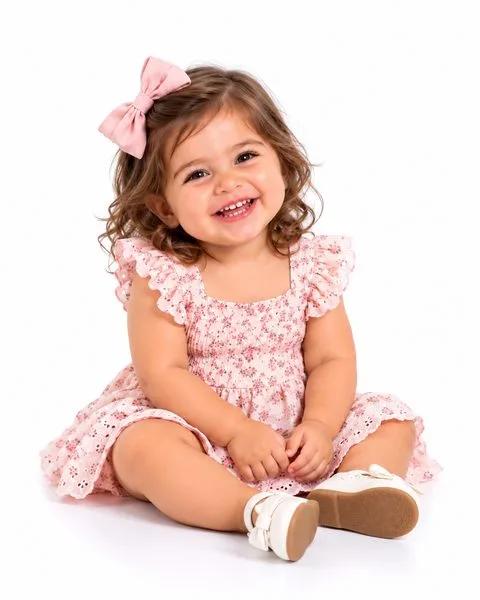




Sample portraits for illustration; names and dates are samples.
How a caritas is made
From the last shutter click to a print in the parents’ hands — eight steps, most of them automatic.
- 01
Shoot five photos
One full-body photo — sitting or standing — and four close-ups with different expressions: a laugh, a pout, surprise, a cry. A plain backdrop works best. Shoot with the iPad camera or your own camera over Wi‑Fi; every frame lands in the Gallery.
- 02
Open Caritas
Tap Caritas in the Gallery toolbar — or, from any photo’s delivery screen, tap Print Layout → Caritas and that photo goes straight into the middle.
- 03
Tap each space
The middle is the full-body photo; the four corners are the faces. Each face is found automatically and framed head-and-shoulders, so you only pick the photos.
- 04
The backdrop disappears
With “Remove the studio backdrop” on, the child is lifted from the studio background on the device and the bottom of each photo softly fades into the new background — no hard edges, no rectangles.
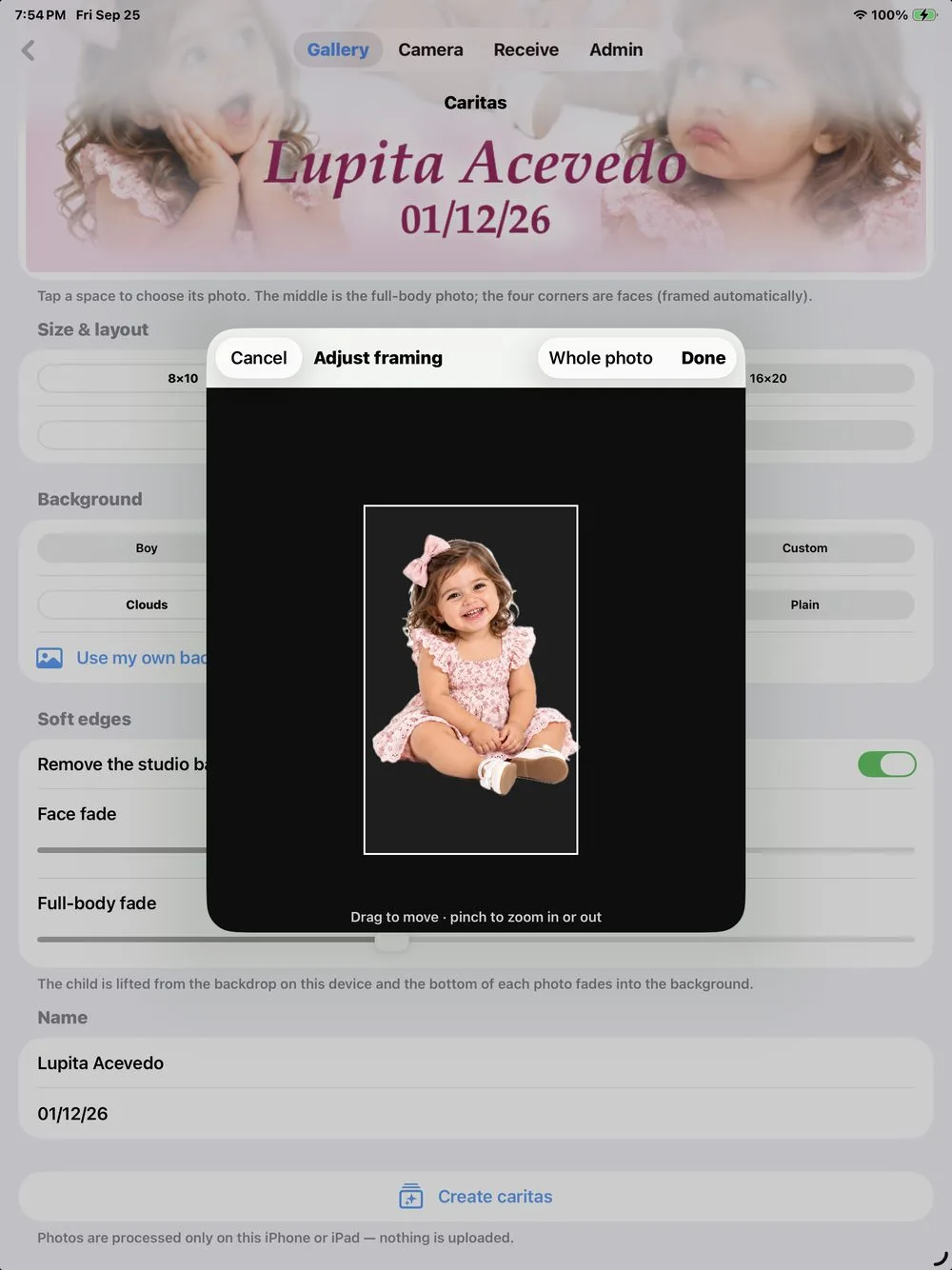
- 05
Fine-tune the framing
Tap a photo → Adjust framing. Drag to move, pinch to zoom in or out, or tap Whole photo so a seated child fits completely. Two sliders control how soft the faces and the full body fade.
- 06
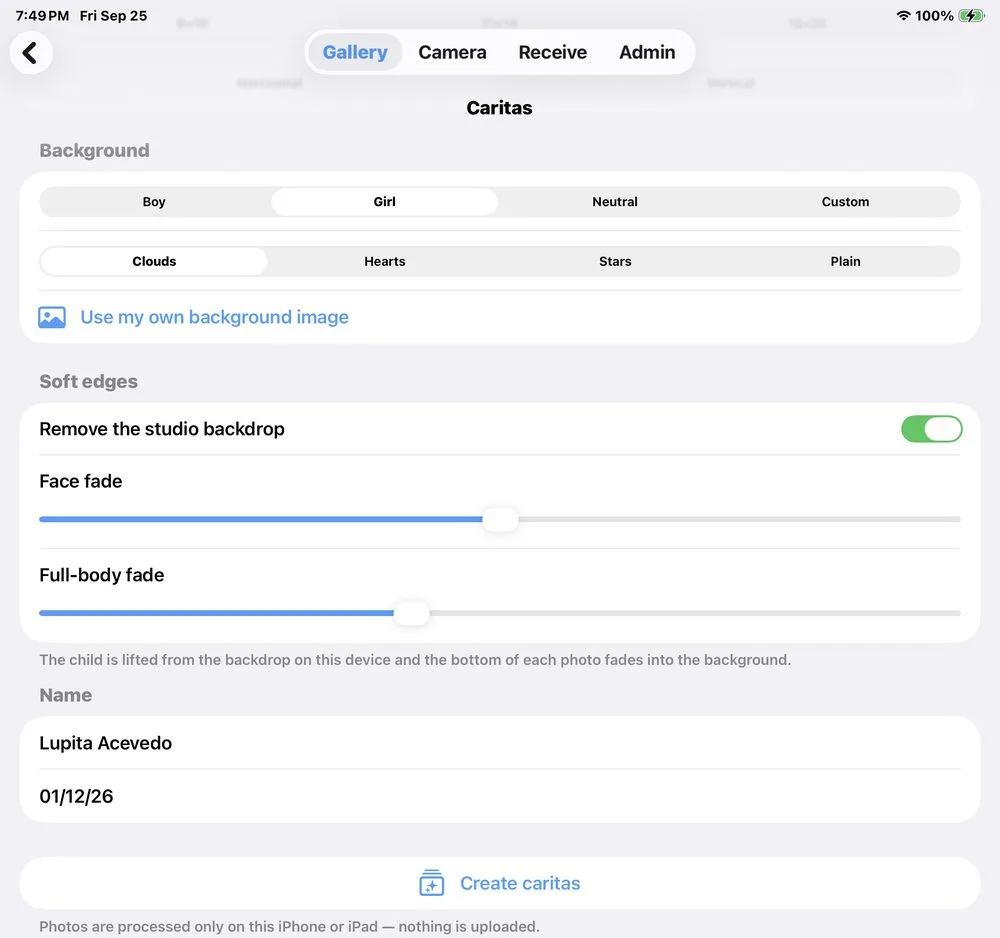
Choose the look
Boy (sky blue), Girl (pink), Neutral (cream) or your own colors; clouds, hearts, stars or plain — or your own background image. Horizontal or vertical, 8×10, 11×14 or 16×20.
- 07
Add the name and date
Nine built-in lettering styles — classic italic, scripts, Didot, rounded, playful and handwritten — with a live preview of the child’s name, a size slider and any color. The date or age sits underneath in a matching font.
- 08
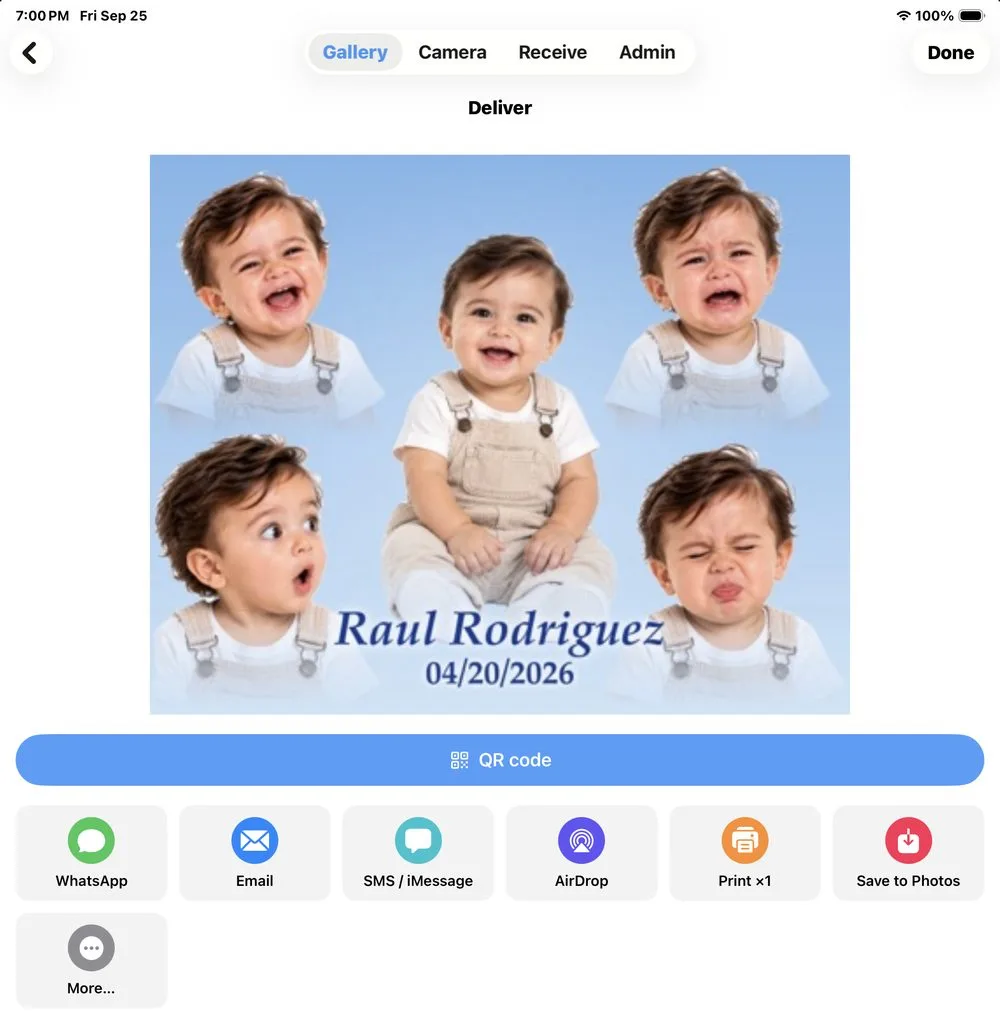
Create and deliver
Create caritas renders the full-resolution file and opens the delivery screen: print the 8×10 on the spot, or send it by QR, WhatsApp, email or AirDrop — or save it for your lab.
The finished caritas is saved in the Gallery with the event, next to the original photos.
Every style option
Colors
Background
Lettering
Layout
Full resolution for every size
JPEG files at print resolution, horizontal as shown (vertical swaps the sides). The app selects the matching paper when you print over AirPrint.
| Size | Pixels | Resolution | Best for |
|---|---|---|---|
| 8×10Printed on location on an 8×10 AirPrint printer — the quick sale. | 3000 × 2400 px | 300 ppi | Printed on location on an 8×10 AirPrint printer — the quick sale. |
| 11×14Sent to your lab. The favorite framed size. | 4200 × 3300 px | 300 ppi | Sent to your lab. The favorite framed size. |
| 16×20Sent to your lab. A wall portrait for the nursery. | 5000 × 4000 px | 250 ppi | Sent to your lab. A wall portrait for the nursery. |
Children’s photos stay on the iPad
Face detection and backdrop removal run on the device with Apple’s built-in tools. Caritas never calls an AI service, needs no account and uploads nothing — you decide where each finished file goes.
Shoot for a great caritas
Where caritas sell best
Ideas, not rules — set your own prices.
First birthday
A caritas for the party and a framed 11×14 for the grandparents.
Daycare & preschool photo day
Five quick frames per child, a finished 8×10 printed before pick-up time.
Milestones & newborn add-on
Six, nine and twelve months — the same layout every time becomes a collection.
For graduates, families and older kids, see Portraits & collages →
Caritas questions
Is it made with AI?
No. Caritas uses Apple’s on-device image tools to find faces and lift the child from the backdrop. No AI service is involved and the photos are never uploaded.
Do I need a white backdrop?
A plain backdrop gives the cleanest result. With a busy background, turn off “Remove the studio backdrop” and each photo fades out in a soft oval instead.
Can I use my own backgrounds?
Yes — pick any image from Photos as the background, or set your own colors for the sky and the lettering.
Which printers work?
Any AirPrint printer that takes 8×10 paper prints on the spot; the app picks the paper size for you. 11×14 and 16×20 files are made for your lab.
Can the same photo appear twice?
Yes, any photo can go in any space — but four different expressions are what make a caritas.
Is Caritas free?
Yes. Caritas is included in the free plan of AI Photographer, with no AI key and no subscription.
Does it work without internet?
Yes. Face detection, backdrop removal and the layout all run on the iPad, so a caritas can be made anywhere — only sending it by WhatsApp or email needs a connection.
Does it remember my style?
Size, orientation, colors, background, lettering and fades are remembered, so the next child only needs five taps and a name.
Your next birthday session, finished before the cake.
Caritas is included free in AI Photographer for iPhone and iPad — no AI key needed.