 AI Photographer
Their photo on the front page, printed before the party ends.
A newspaper made at the event with the photo you just took: weddings, XV años, baptisms, birthdays and graduations, with real headlines, columns, maps and RSVP codes. Print it on location in one tap and hand it over while the music is still playing.
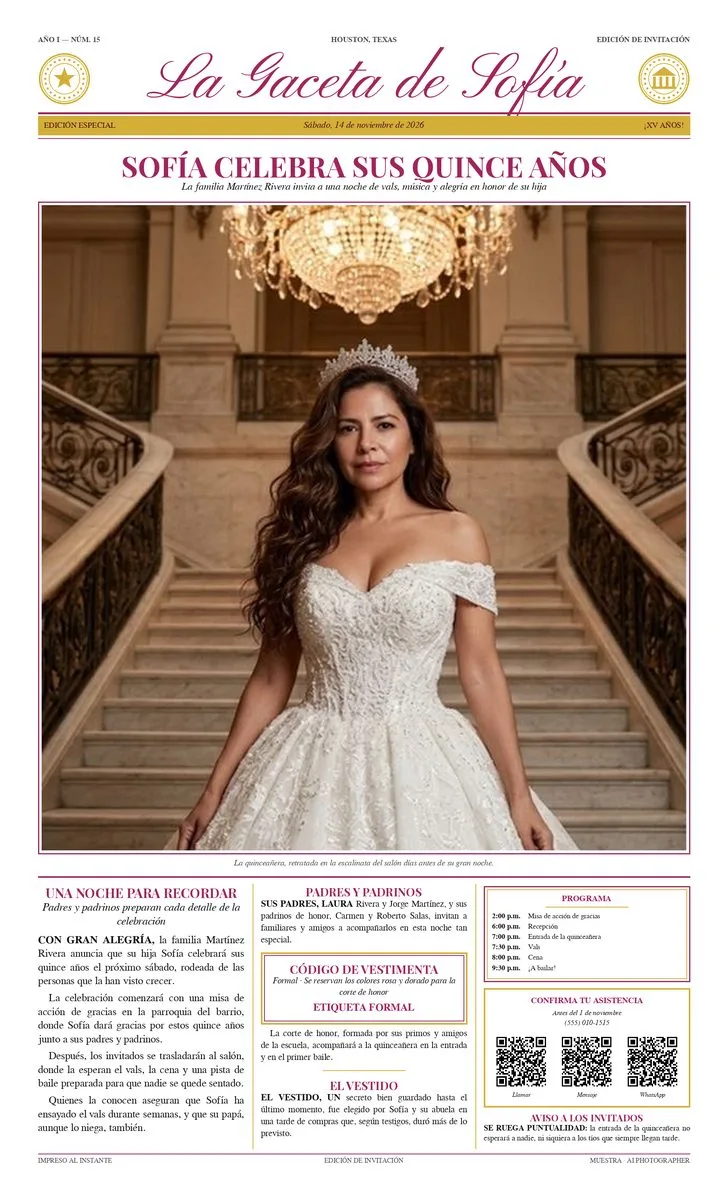
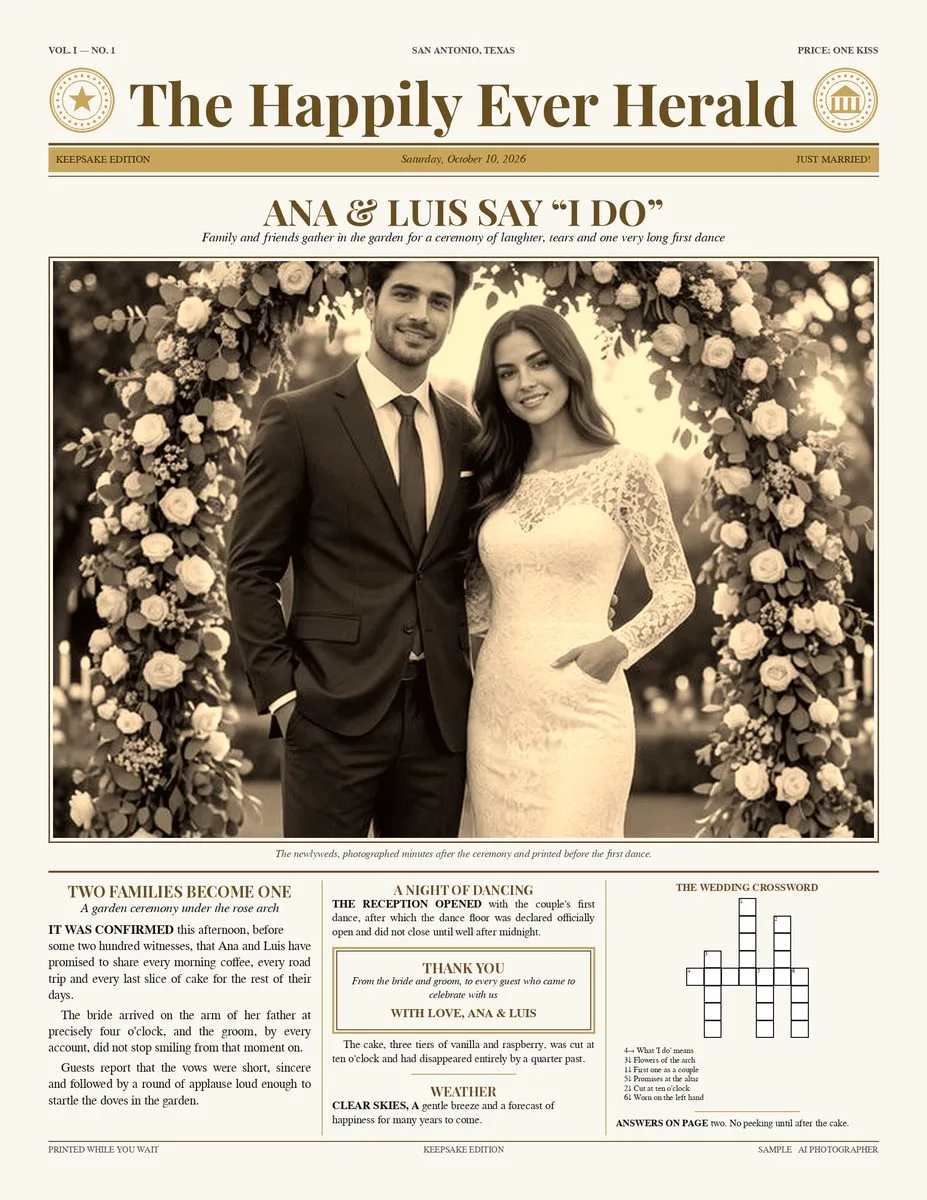
From the shutter to a printed paper in a minute
Set it up before the event
Pick the edition and the event, type the names and the date, add the places with their times, choose the colours. Ready-made texts in English or Spanish fill the whole page.
Shoot as usual
Every new photo from your camera over Wi‑Fi, the iPad camera or a phone drops onto the front page by itself.
Frame and print
Drag and pinch the photo to crop it, then print with one tap on your saved AirPrint printer — both sides for the two-sheet editions.
Hand it over
Guests leave with a paper in their hands, and the same pages go out by QR, WhatsApp, email or AirDrop.
Three editions for the events you already shoot
Start from a template, change any word, and the page reflows by itself.
One-photo newspaper
The event photo on the front page with a headline, three columns of stories, an ad box and a footer. Templates for weddings, XV años, baptisms, birthdays, graduations, baby showers, anniversaries and special events — or one of 28 iconic US cities with their real landmarks and typical food.
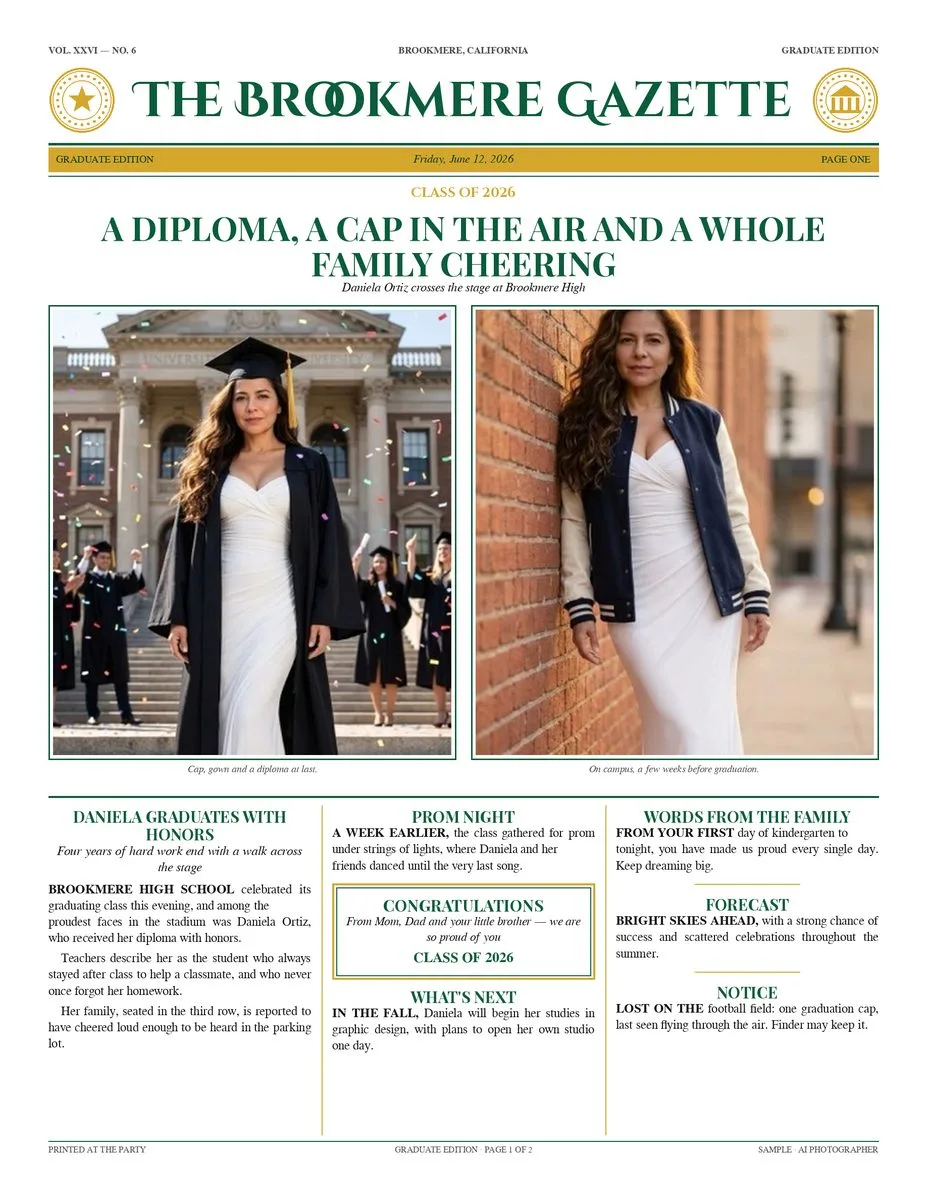
Graduate edition
Front page with two portrait photos, back page with a third. Graduation and prom, the class year, the school's colours and a message from the family. Letter, Legal 8.5×14 or Tabloid 11×17.
XV Años & Wedding edition
As an invitation before the event — places, times and how to get there — or as a keepsake after it. Parents, godparents, dress code, RSVP by QR, the gift box and a crossword with the couple’s or the quinceañera’s own words.
Sample pages made for this website with the app’s layout. Newspapers, names and schools are invented.
Details that make it feel like a real newspaper
Colour themes
Classic black & white, the event’s colours (rose & gold for XV, champagne for weddings, silver or gold for anniversaries…) or the school’s colours — always dark enough to read.
Places, maps & schedule
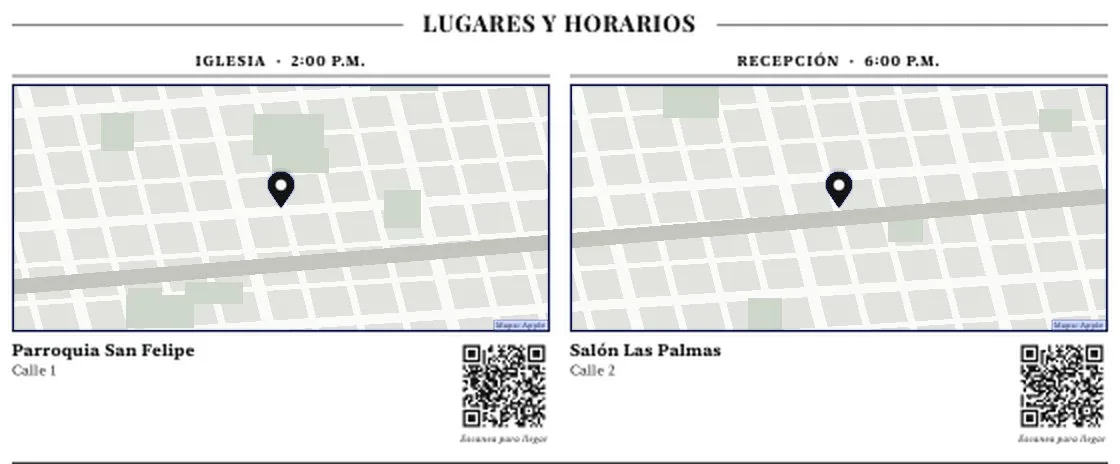
Church, reception, party: each place with its time, a real map snapshot and a “scan to get there” QR that opens directions on any phone. Optional programme with the times of the night.
RSVP & gift box
A box with the deadline and QR codes to confirm by call, text or WhatsApp — plus how the family would like their gift: envelopes, a money gift or a registry link.
A real crossword
Built from the couple’s or the quinceañera’s own words and clues, numbered like a newspaper crossword.
Columns that flow
Stories run from one column to the next like a real paper; short facts fill any space left, so the page never has gaps.
AI texts — optional
Ready-made texts work with no AI at all. If you want fresh stories, your own AI key writes them — text only: the photo is never sent, and names, dates and places are never changed.
Title & photo styles
Masthead in calligraphy, classic or engraved letters; the photo in black & white, sepia or colour; your studio logo in the seal.
English & Spanish
Every template, date and label in either language — one paper for each side of the family if you like.
Photos arrive by themselves
From your camera over Wi‑Fi (FTP), the iPad camera or a phone. Turn on “put each new photo on the page” and keep shooting.
Scan to get there
Type the church and the reception; the app finds them on the map, prints a map snapshot of each one — in real colours or in grey to match the paper — and adds a QR that opens the directions on any phone.
Eight events and 28 cities, ready to print
Event templates bring the right words and colours; city templates bring real landmarks and typical food for travel and destination sessions.
Made for the printer on your table
A vector page with sharp type on any AirPrint printer — laser or inkjet.
| Paper | Inches | Use it for |
|---|---|---|
| LetterEvery edition. The one-photo paper on any office printer. | 8.5×11 | Every edition. The one-photo paper on any office printer. |
| LegalMore room for places, maps and longer stories. | 8.5×14 | More room for places, maps and longer stories. |
| TabloidTwo-sheet editions at real newspaper size. | 11×17 | Two-sheet editions at real newspaper size. |
A new product to sell at every event
Ideas, not rules — set your own prices.
Wedding & XV photographers
Sell the invitation edition with the package, then print the keepsake edition at the party with the photo of the night.
Graduation & school photographers
A two-sheet graduate edition in the school’s colours — the add-on every family wants on the fridge.
Photo booth operators
An upsell next to the booth: guests pose, and a minute later the hosts are holding a newspaper with their photo on the front.
Newspaper questions
Do I need a special printer?
No. Any AirPrint printer that takes Letter paper prints the one-photo newspaper. For the two-sheet editions a printer with automatic duplex is easiest; Legal and Tabloid need a printer that takes those sizes.
Which paper sizes are there?
Letter (8.5×11) and Legal (8.5×14) for the one-photo newspaper; Letter, Legal and Tabloid (11×17) for the Graduate and XV Años / Wedding editions.
Which languages?
English and Spanish: the ready-made texts, the date and every label on the page.
Do I need internet for the maps?
Finding a place and taking its map snapshot needs a connection, so add the places while you prepare the paper. The photo, the layout and printing work on the venue’s local network.
Does the AI see the photo?
No. AI is optional and writes text only — the photo is never sent. Names, dates, places, times, parents and the RSVP always come from what you typed and are never changed. Without an AI key, the ready-made texts fill the page.
Can guests get a digital copy?
Yes — Share saves the pages to the event gallery so you can send them by QR, WhatsApp, email or AirDrop.
Is it included in the free plan?
The newspaper is a Pro feature. It is included in every Pro plan — monthly, yearly (with a 7-day free trial) or lifetime.
Put tonight’s photo on the front page.
The keepsake newspaper is part of AI Photographer Pro.