
AI Photographer
Features

Everything a working photographer needs on location

Capture, AI, delivery, prints, the booth, caritas, portrait collages and a keepsake newspaper — in one app that runs on the iPad you already carry.
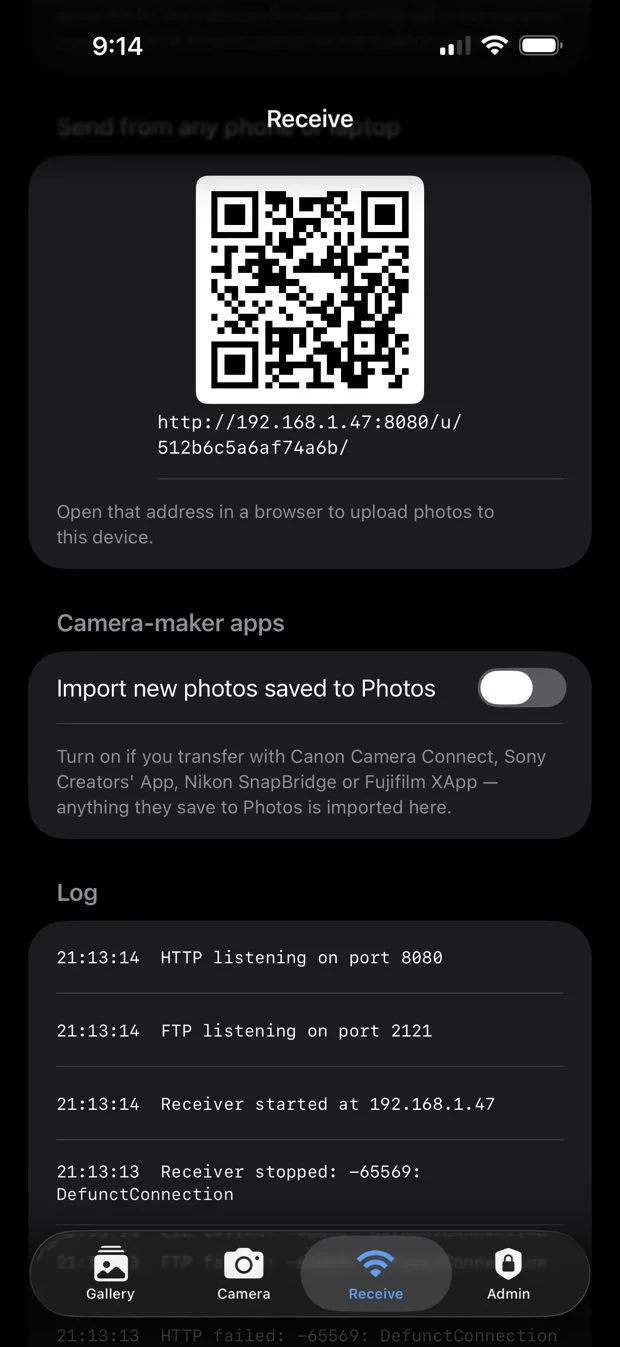
Receive tab with QR upload page
Capture & intake

Shoot with anything

The built-in camera for kiosk and quick portraits, or your pro camera sending every frame to the iPad over Wi‑Fi.

✦
Wireless FTP receiverSony, Canon, Nikon, Fujifilm and Panasonic send JPEGs straight into the Gallery. Plain FTP, passive mode, port 2121.
✦
Camera-maker appsUsing Camera Connect, Creators' App, SnapBridge or XApp? New camera shots saved to Photos are imported; iPhone photos and screenshots are ignored.
✦
Upload from any phoneGuests or assistants scan a QR and upload a photo from their browser.
✦
Events & galleryPhotos are grouped by event, with AI versions stacked under the original.
AI engine

Same person. New world.

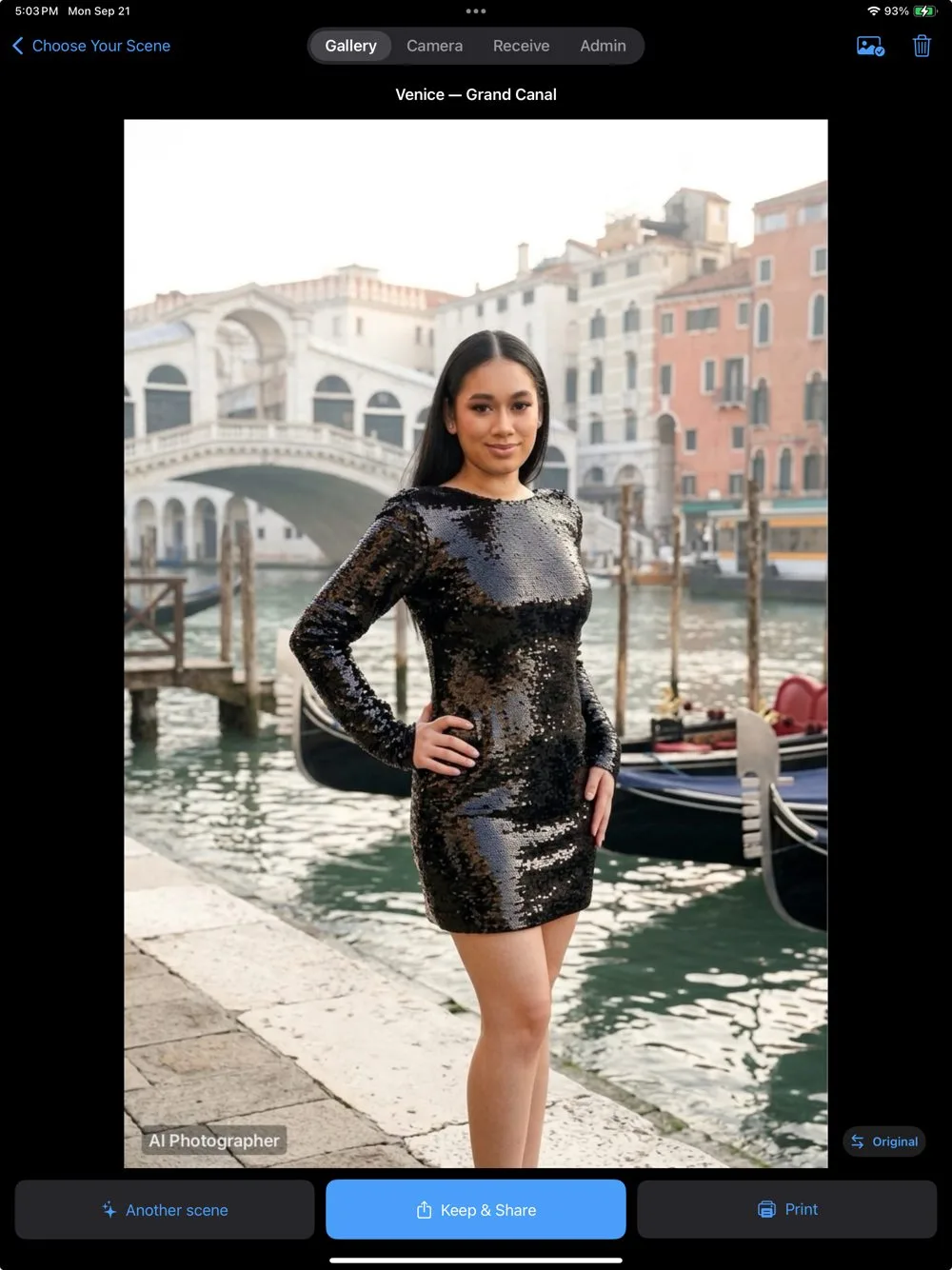
Choose among several of the leading AI image services with your own key. If one fails or declines a photo, the app falls back automatically to the next service you set up.
✦
Your choice of AI serviceAdd a key for one service or several; pick the main one and turn on automatic fallback. Costs go straight to your own account.
✦
Identity firstFace, hairstyle, skin tone, head size and gender are protected in every prompt; outfits match each person.
✦
Retouch by levelsSkin finish, wrinkles & eye bags and slimming — each from off to glamour, with a separate setting for men. Presets: Natural, Light, Studio, Glamour.
✦
Orientation-awareA landscape photo comes back as a landscape scene, with the same framing.
✦
Content rules on every imageNo nudity, lingerie, revealing clothing, sexualized poses or violence — safe for weddings, schools and brands.
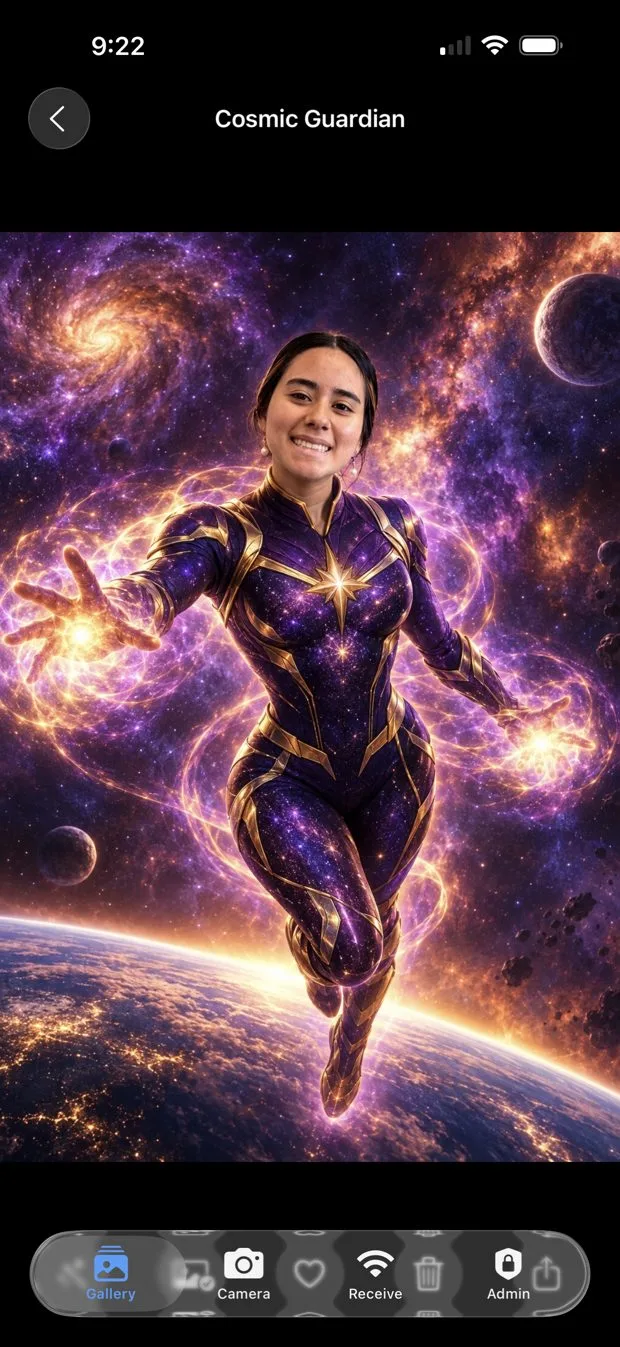
AI result: Cosmic Guardian
Result screen with Keep & Share
Delivery & contacts

From booth to phone in seconds

A big QR on iPad (and a clear one on iPhone), automatic WhatsApp/SMS with Twilio, email with your SMTP, AirDrop and your Photos album.
✦
QR anywhereFree ImgBB hosting makes the QR open on cellular; without it, the screen shows the venue Wi‑Fi to join.
✦
Contact database · ProEveryone who received a photo, with a separate marketing opt-in (off by default) and Excel export.
✦
Kiosk-safe sharingGuests never see Photos, Files or the system share sheet.
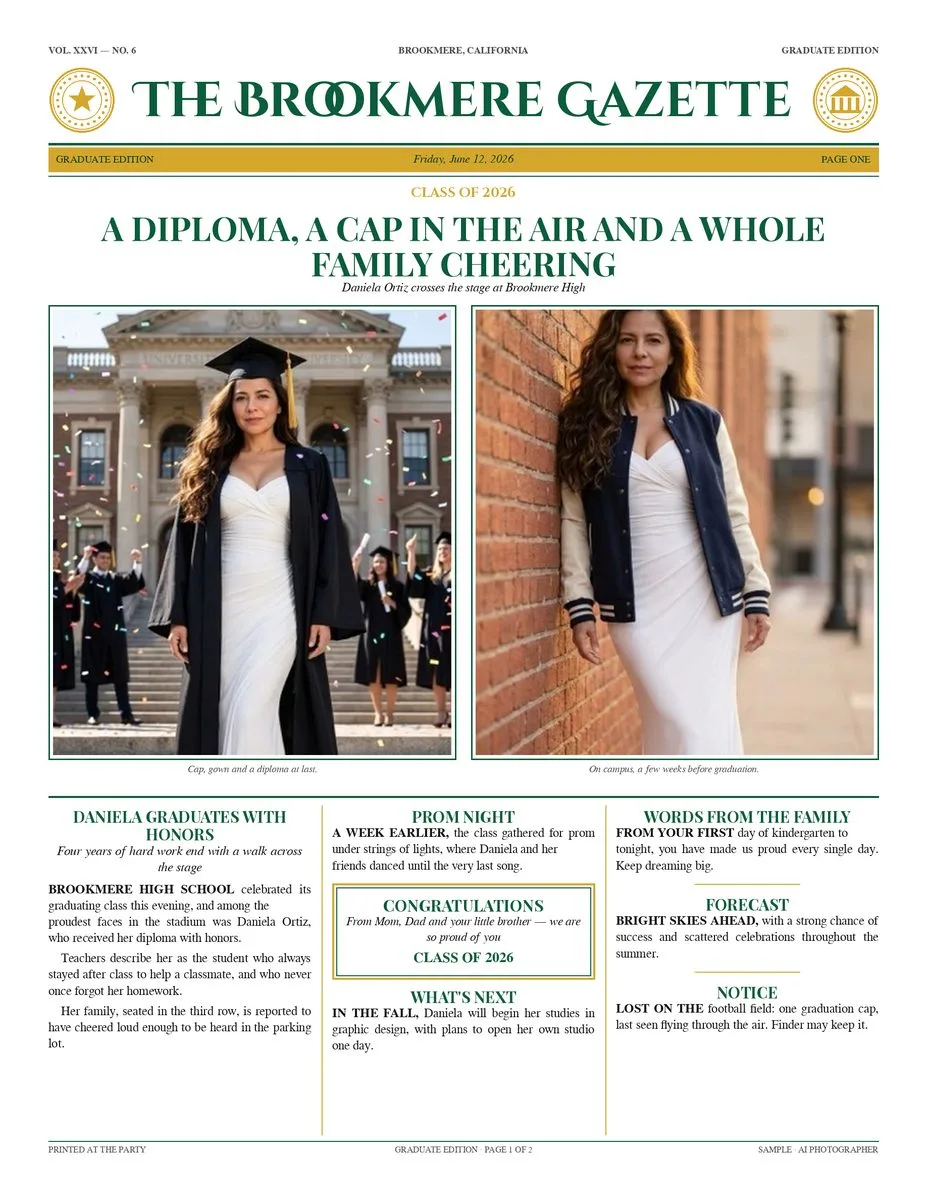
Sample graduate edition newspaperKeepsake newspaper example
Keepsake newspaper Pro

The event photo on the front page

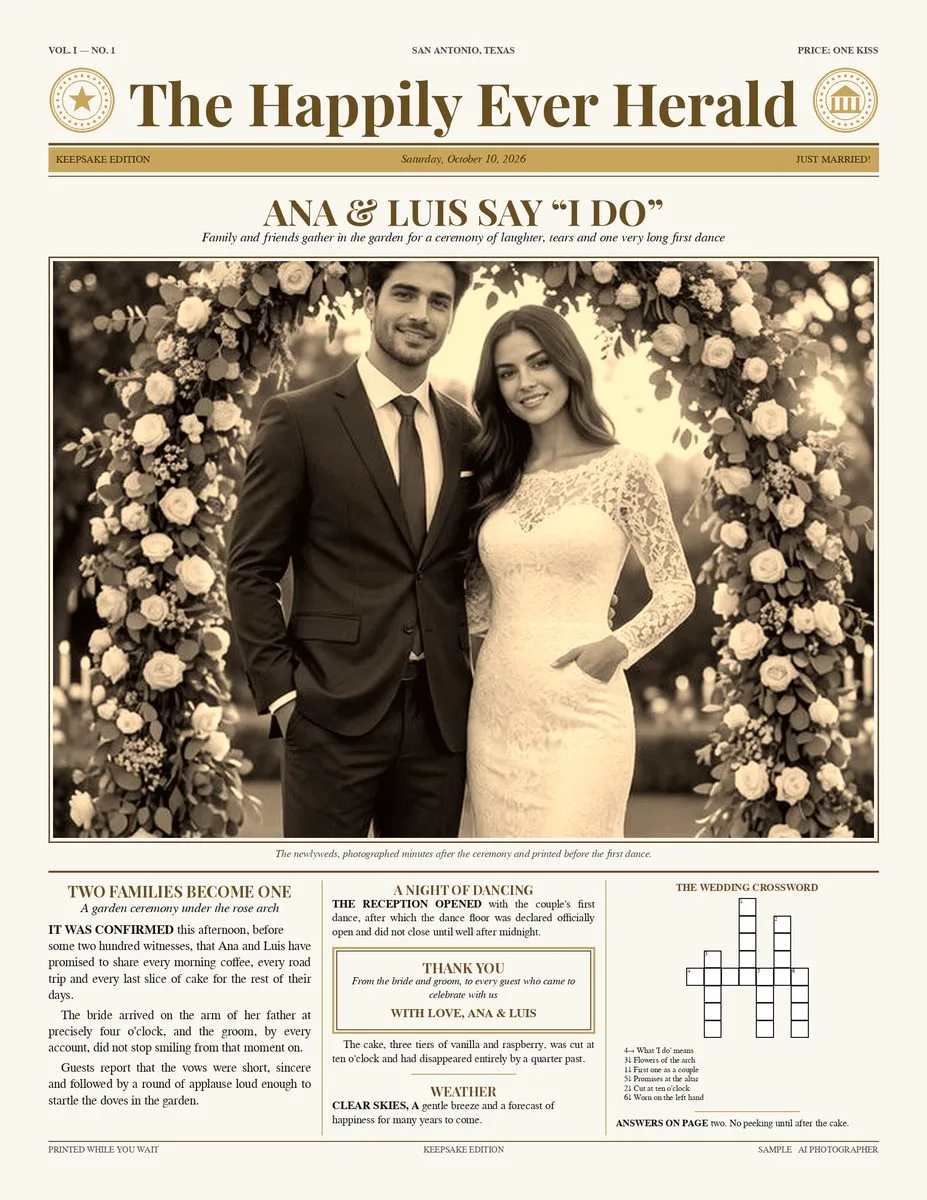
New: a newspaper printed at the event, with headlines, columns, maps and RSVP codes around the photo you just took.

✦
Three editionsOne-photo newspaper (Letter or Legal), Graduate edition and XV Años / Wedding edition — two sheets, double-sided, up to Tabloid 11×17.
✦
Templates in English & SpanishWeddings, XV años, baptisms, birthdays, graduations, baby showers, anniversaries and 28 US cities.
✦
Maps, RSVP & crosswordPlaces with real maps and a “scan to get there” QR, RSVP and gift box, and a crossword with the couple’s own words.
✦
Photos arrive automaticallyFrom the camera over Wi‑Fi, the iPad or a phone; drag to crop, one tap to print over AirPrint.
✦
AI texts only if you wantOptional, text only — the photo is never sent and names, dates and places are never changed.

Everything about the newspaper →

Caritas & portraits

Collages that used to take an hour in Photoshop

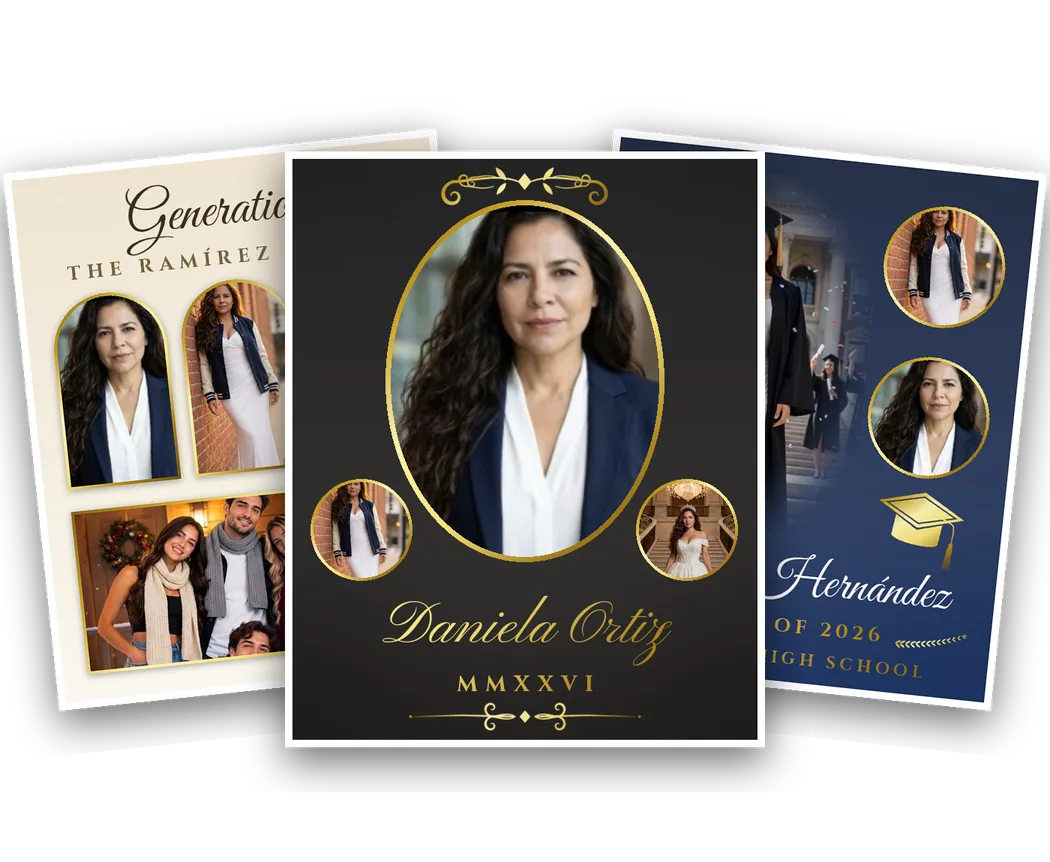
Made on the device, without AI: faces framed automatically, backdrops lifted, soft fades and gold borders, from 8×10 to 16×20.
✦
Caritas · freeThe kids’ collage: one full-body photo, four faces, the name and date on a soft sky.
✦
Portraits & collages · Pro12 personal, family and graduation templates, 41 ornaments, 25 lettering styles and a school mode for whole classes.

Caritas →   Portraits & collages →

Portrait collages made with the templates
Privacy

Your clients' photos stay yours

🔑

Your key, your account

Only the photo you transform is sent — over HTTPS — to the AI service you configured, under your own account. Caritas and Portraits never use AI.

📵

No servers of ours

No sign-up, no analytics, no tracking. The App Store privacy label is “Data Not Collected”.

📱

Contacts on the device

Names, phones and emails stay on the iPad until you export them.

Read the privacy policy →

And more

The details that matter at 11 pm

🌐

English & Spanish

The whole app and every guest screen in both languages.

🧭

In-app camera guide

Menus for each brand with your iPad's address filled in, plus troubleshooting with pictures.

🖼️

Frames & overlays

PNG frames on every photo, locked by you or chosen by guests.

📊

Usage per event

How many photos, AI images and sends each event produced, with limits you can set.

📶

Offline-friendly

Capture, receive, local QR and print work without internet; AI needs a hotspot.

📱

iPhone and iPad

One purchase covers both; the layout adapts with bigger previews on iPad.

🧹

Factory reset

Start fresh for a new client or a new iPad: one PIN-protected reset in Admin erases keys, settings and everything stored in the app. Your Photos library is never touched.

🔐

PIN-protected admin

Settings, keys and contacts sit behind your PIN, with a short lockout after five wrong tries.

🛡️

Family-friendly

Content rules on every AI image and built-in scenes made for weddings, schools and brands.

AI Photographer

See it on your own iPad.

Everything above works on the free plan except the Pro features marked.